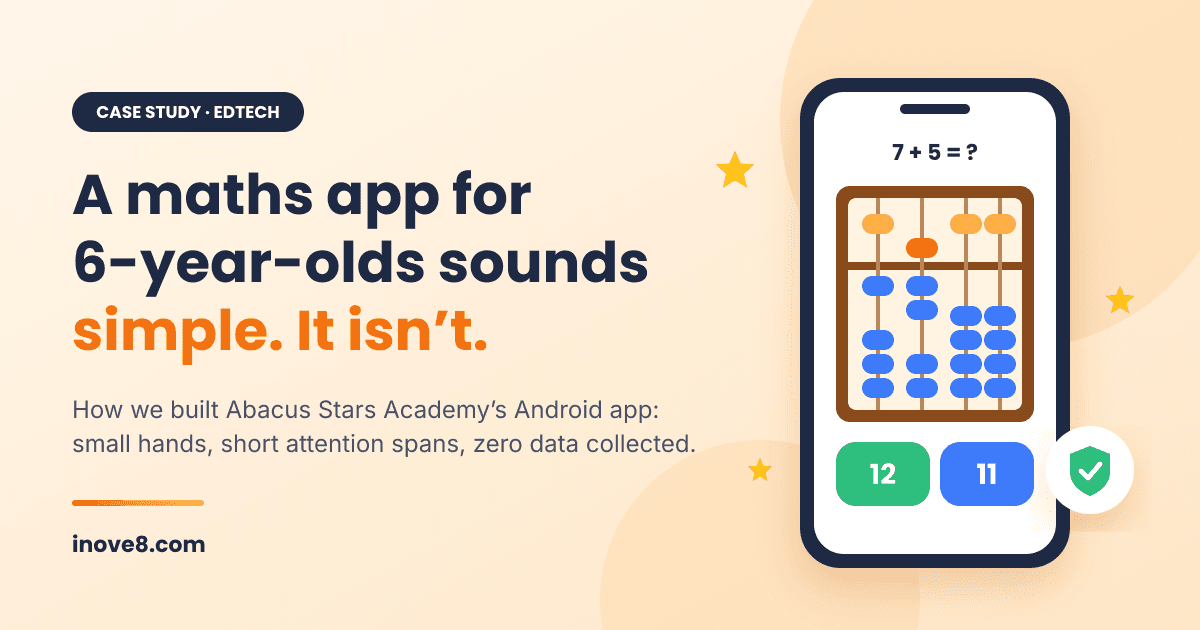
When Abacus Stars Academy first spoke to us, the brief fit in one sentence: take abacus learning beyond the classroom and put it in every child's hands.
It sounded like a small project. A few lessons, a few practice screens, done. Within the first week we realised that almost every assumption we bring to normal app work breaks when the user is six years old.
This post walks through the problem, the research we leaned on, and the decisions that shaped the app. It's now live on Google Play.
The real problem: learning stops when class ends
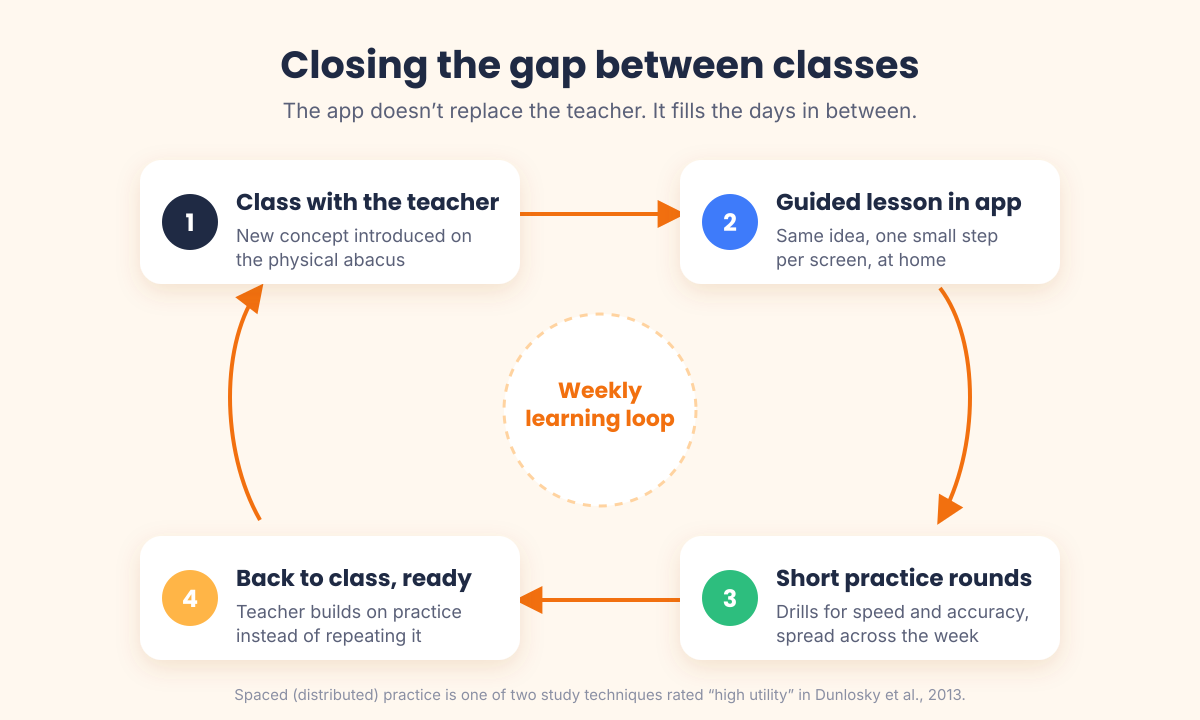
The academy's students were learning well in class. The trouble was what happened in between. A child might spend a few focused hours a week with a teacher and an abacus, then nothing until the next session. Every class began with catching up instead of moving forward.
That pattern matters more than it seems. In 2013, a team of psychologists led by John Dunlosky reviewed ten common study techniques. Only two received their highest "utility" rating, and one of them was distributed practice: spreading practice out over time instead of packing it into one sitting. The authors found it helped learners across different ages and ability levels.
For an abacus student, that means short sessions on Tuesday, Thursday and Saturday will probably do more than a long session squeezed in once a week. The academy couldn't run classes every day, but an app could make those in-between days count.
What the research actually says about abacus learning
Before building, we wanted to be honest with ourselves about what abacus training does and doesn't do, so we didn't design the product around claims it couldn't support.
The strongest evidence we found comes from India. In 2016, David Barner and colleagues published a three-year randomised trial in Child Development with 183 children aged 5 to 7 at a school in Vadodara. One group learned the mental abacus and the other got the same number of hours of regular extra maths tuition. The abacus group improved more in calculation, arithmetic and place-value understanding, with large effect sizes.
The same study is also a useful reality check. It found no broader cognitive benefits, and children who started with weaker spatial and working-memory skills gained the least. The findings elsewhere are mixed. A 2019 study in the Journal of Neuroscience with 144 primary school children linked abacus training to better visuospatial working memory. Other researchers, including Lo and Andrews, found that experts' advantages mostly stay within arithmetic tasks.
What this told us about the product:
Lead with maths skills. Number sense, calculation speed and accuracy are where the evidence is strongest, so the app focuses on those rather than promising to "boost brain power".
Follow the classroom order. In Barner's study, children used a physical abacus first and only later moved to the mental abacus. Research on 6- to 8-year-olds also found that learners first master the physical abacus before using it in their heads. So the app follows the teacher's sequence instead of skipping ahead.
Support, don't replace. The app is built to sit next to the teacher, not take over.
Designing for a 6-year-old who's using the app alone
Most apps assume the user can read instructions, recover from mistakes and tap accurately. Most six-year-olds can't do all three.
Nielsen Norman Group, which has run usability studies with children aged 3 to 12, recommends treating at least three age bands (3–5, 6–8 and 9–12) as separate audiences. Their research shows that motor skills shape what children can physically do on a touchscreen. Children under 5 need very simple interactions, more advanced gestures become realistic around age 9, and only around 11 can children handle the full range adults use.
Our users sit in the middle band, so that shaped a set of rules we kept coming back to:
Big, forgiving buttons. Answer buttons are large and widely spaced, so a near-miss doesn't trigger the wrong answer.
One idea per screen. Each lesson step does one thing. If a screen needed a paragraph to explain, we split it up.
A flow a child can follow without help. No menus to dig through and no settings to get lost in. The next step is always obvious.
Show, don't tell. Beads, colours and movement carry the explanation, because many children this age are still learning to read.
Instant, kind feedback. A wrong answer means "try again", never a dead end. Children who feel punished stop playing.
Bright, but not noisy. It's tempting to fill a kids' app with animation. We kept the colour and cut anything that pulled attention away from the abacus.
Designing for short attention spans also changed how practice works. Rounds are short, so a child can finish one before losing interest. That fits neatly with the research on spacing practice out.
Privacy can't be added at the end
Parents were the other half of the audience. They needed to trust the app before they'd hand over the phone, and the academy was clear that this meant no ads, no distractions and no data collection.
That isn't just good manners. Google Play requires developers to declare their app's target age group, and any app that includes children in its audience must follow the Play Families Policy. That covers child-appropriate content, which third-party SDKs and APIs are allowed, how ads can be shown, and an accurate privacy policy. In India, Section 9 of the Digital Personal Data Protection Act, 2023 adds its own rules. Platforms need verifiable parental consent before processing a child's personal data, and they can't track children, monitor their behaviour or target ads at them.
We chose the simplest route through all of this: don't collect the data at all. If an app doesn't hold children's personal information, it can't lose it or misuse it, and parents have nothing to worry about.
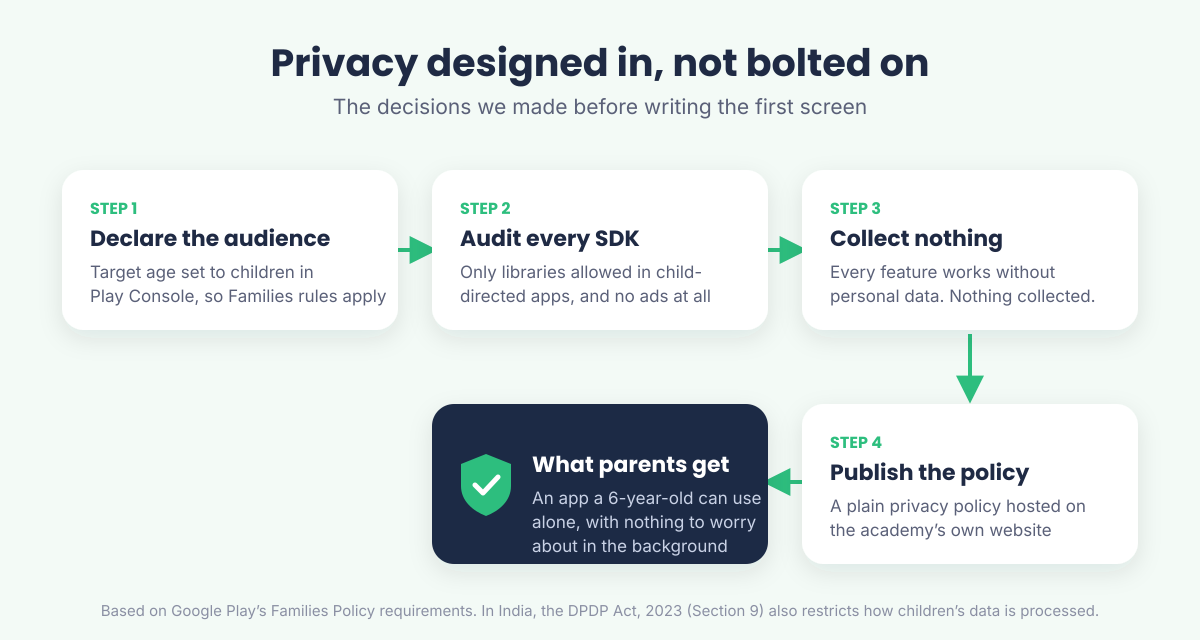
In practice, that meant:
Declaring the audience up front. The app is set up as a children's app in Play Console, so the Families rules apply from day one.
Checking every dependency. Any library we added had to be suitable for a child-directed app. There are no ads at all.
Building features that don't need personal data. The Play Store listing now declares that no user data is collected or shared.
Publishing a clear privacy policy. We built the academy's website and hosted the policy there, where parents and Google can both read it.
Trying to add any of this after launch would have meant rewriting core parts of the app. Starting with it kept the product simple.
Where it is now
The Abacus Stars Academy app is live on Google Play in the Education category and is rated for ages 3+. It includes:
Guided abacus lessons that build number sense step by step
Practice activities for calculation speed and accuracy
A child-friendly interface with big buttons and a simple flow
A privacy-first design built around Google Play's Families Policy
The academy's website, including its privacy policy
Shefali, Academic Coordinator at the institute, summed up the project this way:
"The team solved every challenge perfectly and delivered on time."
What we'd tell anyone building for children
If you're planning an app for young learners, these are the lessons we'd pass on:
Pick one age band and design for it. "Kids" isn't a single audience, and a 5-year-old and a 10-year-old need different apps.
Let the evidence set your promises. Build around what the learning method has been shown to do, and be careful about bigger claims.
Design for the gaps between lessons. For most learning products, the real value is making practice easy on the days with no teacher.
Treat privacy as an architecture decision. Settle what data you will and won't collect before you design a single screen.
Test with real children. Adults can't predict where a six-year-old's thumb will land.
Building an app for children, schools or learners of any age? We'd be glad to talk it through. Book a discovery call with Inove8.
Sources
Abacus Stars Academy app listing, Google Play: https://play.google.com/store/apps/details?id=com.techidata.abacusstars
Barner, D., Alvarez, G., Sullivan, J., Brooks, N., Srinivasan, M., & Frank, M. C. (2016). Learning mathematics in a visuospatial format: A randomized, controlled trial of mental abacus instruction. Child Development. Summary via the British Psychological Society Research Digest: https://www.bps.org.uk/research-digest/teaching-children-ancient-mental-abacus-technique-boosted-their-maths-abilities
Wang, C., et al. (2019). Training on abacus-based mental calculation enhances visuospatial working memory in children. Journal of Neuroscience, 39(33). https://pmc.ncbi.nlm.nih.gov/articles/PMC6697396
Lo, S., & Andrews, S. The effects of mental abacus expertise on working memory, mental representations and calculation strategies. Journal of Numerical Cognition. https://jnc.psychopen.eu/index.php/jnc/article/view/8073
Abacus mental arithmetic and co-thought gestures in 6- to 8-year-old learners, PubMed Central: https://pmc.ncbi.nlm.nih.gov/articles/PMC6090447
Dunlosky, J., Rawson, K. A., Marsh, E. J., Nathan, M. J., & Willingham, D. T. (2013). Improving students' learning with effective learning techniques. Psychological Science in the Public Interest, 14(1), 4–58. Summary: https://www.sciencedaily.com/releases/2013/01/130110111734.htm
Nielsen Norman Group, Physical Development as a Factor in Designing for Children: https://www.nngroup.com/articles/children-ux-physical-development/
Nielsen Norman Group, Designing for Kids: Cognitive Considerations: https://www.nngroup.com/articles/kids-cognition/
Google Play Console Help, Google Play Families Policies: https://support.google.com/googleplay/android-developer/answer/9893335
Google Play Console Help, Manage target audience and app content settings: https://support.google.com/googleplay/android-developer/answer/9285070
Digital Personal Data Protection Act, 2023, Section 9 (processing of children's personal data): https://dpdpa.com/dpdpa2023/chapter-2/section9.html